Overview
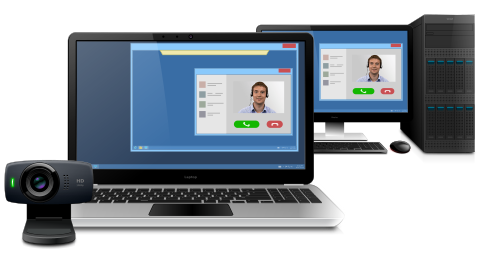
Webcam for Remote Desktop is a high-performance software for redirecting locally plugged webcams to remote desktop session.
So any video conferencing or other software that expects for a video stream will work.
How it works
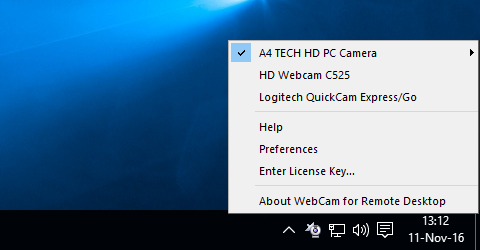
The software consists of two parts. The Workstation part is to be installed on the local computer where the webcam is physically present. The Server part goes to the remote side.
Webcam for Remote Desktop creates a virtual camera in your remote desktop session and you can receive the video stream directly from the local hardware webcam. It provides you with high quality and low latency video stream allowing clear and stable video transmission to the remote session without any additional configuring.
Full DirectShow compatibility

Webcam for Remote Desktop is fully compatible with DirectX. As a result it supports a wide range of software and hardware. It’s possible to use not only webcams as image source but also any DirectShow compatible hardware including video capture cards and ID scanners.
Works with any instant messengers and other video applications
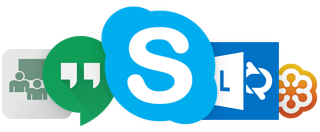
All video-conferencing software works perfect using Webcam for Remote Desktop redirection. The list of supported software includes such popular applications like Skype, Lync, Google Hangouts, GoToMeeting, Webex, Adobe Connect and many others. Webcam for Remote Desktop supports also video chat on social networking services, like Facebook, Myspace, etc.
Secure and separate access
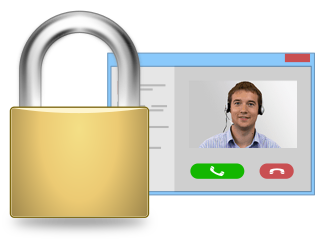
Webcam for Remote Desktop takes care of your confidential information. In case of multi-user environment (Windows Server 2008, 2012, 2016), if there are more than one user logged in to the remote side, each webcam is isolated within each individual user session. So you don't need to worry that your personal video stream will be seen by somebody else, even by mistake. No one but you are able to see your webcam in the system.
Custom resolution, compression and frame rate
Thanks to on-the-fly compression, Webcam for Remote Desktop reduces video stream size and as a result increases the data transfer speed. The program supports different custom video resolutions and framerates. It’s always possible to configure the program in order to meet your network bandwidth and avoid frame drops.
Driver-free video redirection
Native webcam drivers are not required on the remote side. It’s not needed to install any drivers on the remote side every time you plug in a new webcam (new driver installation requires administrative rights and can be a headache for your system administrator).
Remote desktop protocols in different environments
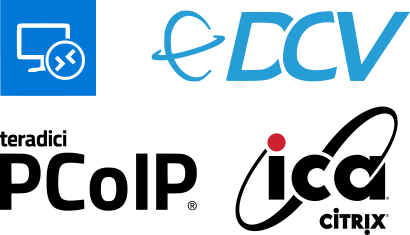
Webcam for Remote Desktop supports different remote desktop protocols including Microsoft RDP, Citrix ICA, Amazon NICE DCV, VMware Blast and Teradici PCoIP. It does not matter what environment is used (Remote Desktop Services, Hyper-V, Microsoft Azure, Citrix Virtual Apps and Desktops, VMware Horizon, Amazon Workspaces and others). Any compatible Client software can be used for accessing remote side. And there is no need to change firewall settings.
What about other OS?
If you are looking for solution for Linux or macOS you have already found it. Webcam for Remote Desktop works perfectly in macOS and most distributions of Linux operating system. It includes plugins for FreeRDP, Citrix Workspace app, HP Anyware PCoIP Client, VMware Horizon Client and Amazon WorkSpaces Client.
Azure Virtual Desktop compatible
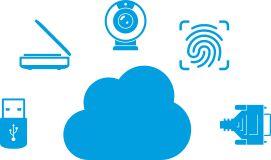
Webcam for Remote Desktop, as well as other FabulaTech solutions, is fully compatible with Azure Virtual Desktop and makes it possible to access local webcams from applications running in Windows Virtual Desktop.
Double hop session support

You can connect from your workstation to remote Server 1. And then initiate a connection to another Server 2 session from Server 1. The device will be accessible on Server 2 without any additional configurations.

Seamless mode support
Webcam for Remote Desktop works perfectly in seamless mode. It is easy and convenient feature which allows to connect your local webcam to any remotely running video application in seamless mode.

OEM License Benefits
Webcam for Remote Desktop functionality can be easily integrated into your application. So you allow terminal server users to access local video devices in remote Windows session. Read more…

What Customers Say
We found Webcam for Remote Desktop. It was advertised that the software works even on slow network connection. Thus, we have installed it, and it works flawlessly. It has been very easy to setup and use.

And Even More…
- Single-user and multi-user environments support.
- Zero configuration is required.
- Works with any virtual machines.
- Mixed 32 and 64-bit environment.
Additional Information
Webcam for Remote Desktop. Webcam redirection software allowing to use local video devices in remote desktop session.OS: Windows, Linux, macOS, Version: 2.8.54
Price: $
Rating: 4.8
(3 reviews)
Try Something Bigger
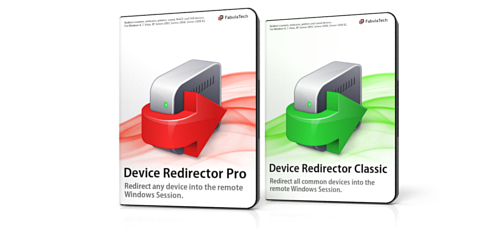
We're reinventing our device redirection software to offer you even more rich user experience while working in remote desktop environment.
Device Redirector is a combined solution allowing you to redirect almost every device to remote desktop session. Learn more about it's benefits and new features.