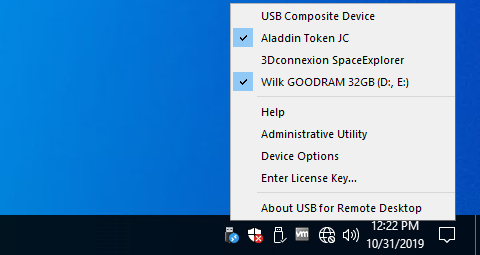
Sometimes, while working in remote desktop, you need access to your local devices. You can easily redirect disk drive or a printer into remote Windows session. But why can't you redirect all the rest of your USB devices just as easily?
Unfortunately there is no standard way to make local USB devices available in remote Windows session. The only standard solution is plugging USB device directly to the remote server. But in the most of cases that is not acceptable.
FabulaTech has resolved this problem in other extraordinary way. We've created USB for Remote Desktop that allows working with your local USB devices from remote Windows session.
The program consists of a Server and a Workstation. You should install the Workstation on the computer to which the USB device is physically connected. Server side should be installed on the remote server from which you need to access your devices.
USB for Remote Desktop is easy to install and use. It supports a wide range of USB devices. The program does not require any special knowledge and installs easily right out of the box.
|
Boxshot ImagesWeb Resolution Images: Print Resolution Image: |
|
Screenshot Images |
|
|
FabulaTech LogoWeb Resolution Images: GIF 230x50 | GIF 115x25 | GIF 70x15 Print Resolution Images: |
Serial Port Control 2.1.6 released. CPU 100% usage problem on port removal fixed. WriteArray() issue on port removal fixed.
February 12, 2010Virtual Serial Port Control for Windows CE 3.1 released. Minor bugs fixed. Performance improved. MSI installer added.
February 12, 2010Virtual Serial Port Kit for Windows CE 5.0 released. Driver, program engine and GUI rewritten from scratch. Performance and interface improved. Full compatibility with Windows CE 6 added. Maximum number of virtual serial ports increased to 255.
January 26, 2010Serial Port Redirector for Windows CE 1.2.1 released. Code alignment on ARM CPU fixed. Reconnect issue fixed.